 John Nnamani
Are you tired of Claude Code giving you a wall of text that's impossible to read, or understand? I am too. Luckily, there's a solution for that: Output Styles.
A video by Ray Amjad (Opus 5 Is Exhausting. Anthropic Reveals The Fix.) points and shows how flexible output styles can be, even changing them mid session.
This is a step-by-step walkthrough written in my own words. I watched the video, read the description and the linked blog post, and checked the steps against Anthropic's official docs.
Claude Code often respond with jargons that is tiring to read which can make a lot of people lazy (I am a lot of people). The fix is simple — give Claude Code an output style that will tell it how to talk to you, and that's it. Even better, you can keep several styles and switch between them for each projects. I will walk you through how to set this up for yourself.
What Is An Output Style?#
It's a set of standing instructions that changes how Claude talks to you for the whole session. You write it once, so you don't have to type "please explain to me like a 5 year old" in every message.
You can create your own output style by putting instructions in ~/.claude/output-styles, running /config afterwards, then search and select Output style.
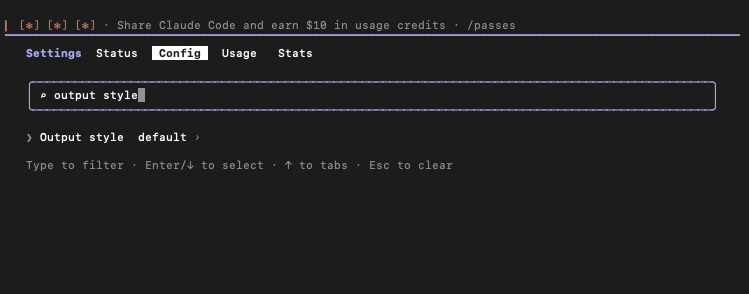
People on the Claude Code team don't use just one style. They switch depending on the project, the task, or even the time of day (how tired they are, or how involved they want to be).
Step by Step Setup#
Step 1: Copy the style text#
This is the exact style that Ray used in his video for example. You can change this to whatever you want — the name the description and the instructions.
---
name: ELI5
description: keep it simple pls
keep-coding-instructions: true
---

It's been a long day and my brain is fried, talk to me like I'm 5.

Small words, short sentences, short paragraphs. If you have to use
a big word, explain it right after. Only return what's actually necessary.

Just tell me what you did, did it work, what do I do now.

If I have to decide something: 2 options max, the context I need to pick fast,
and which one you'd go with.

Keep paths and commands exact. I have no brain cells left for the rest.
What each part means:
| Part | What it does |
|---|---|
--- lines | Start and end the "settings" section at the top. |
name: ELI5 | The name you'll see in the config menu when selecting an output style. ELI5 = "Explain Like I'm 5". You can use whatever you want. |
description: | A short note shown next to the name in the menu. Describes the output style. |
keep-coding-instructions: true | Important. This keeps Claude's normal coding skills. You're only changing how it talks, not how it codes. |
| Everything below | Instructions on how to reply. Also, you can modify this to whatever you like. |
Step 2: Have Claude Code create the file for you#
You can go to your project's ~/.claude/output-styles, create a file eli5.md and paste the config copied in step 1. But why do we need to do all that since we've got Claude to work for us 😅
- Open Claude Code.
- Type
@and pick the claude-code-guide agent (a built-in helper that knows Claude Code). - Paste the style text copied.
- Add a message: "add this output style in this project for me" and press Enter.
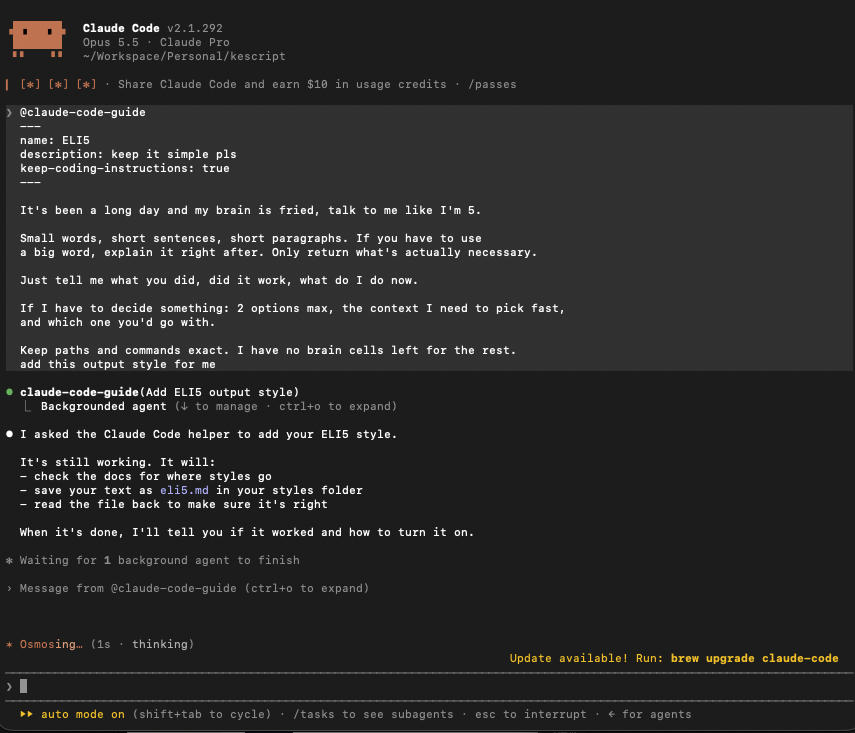
Note: Restart your Claude Code after creating the file so you can see the output style in the config list.
Step 3: Switch to the style#
- In Claude Code, type
/configand press Enter. - Search for Output style and press Enter.
- Choose ELI5 (or whatever name you saved it with).
- Press Esc to close the menu.
Shortcut: You can also type /output-style ELI5, or just /output-style to see the list.
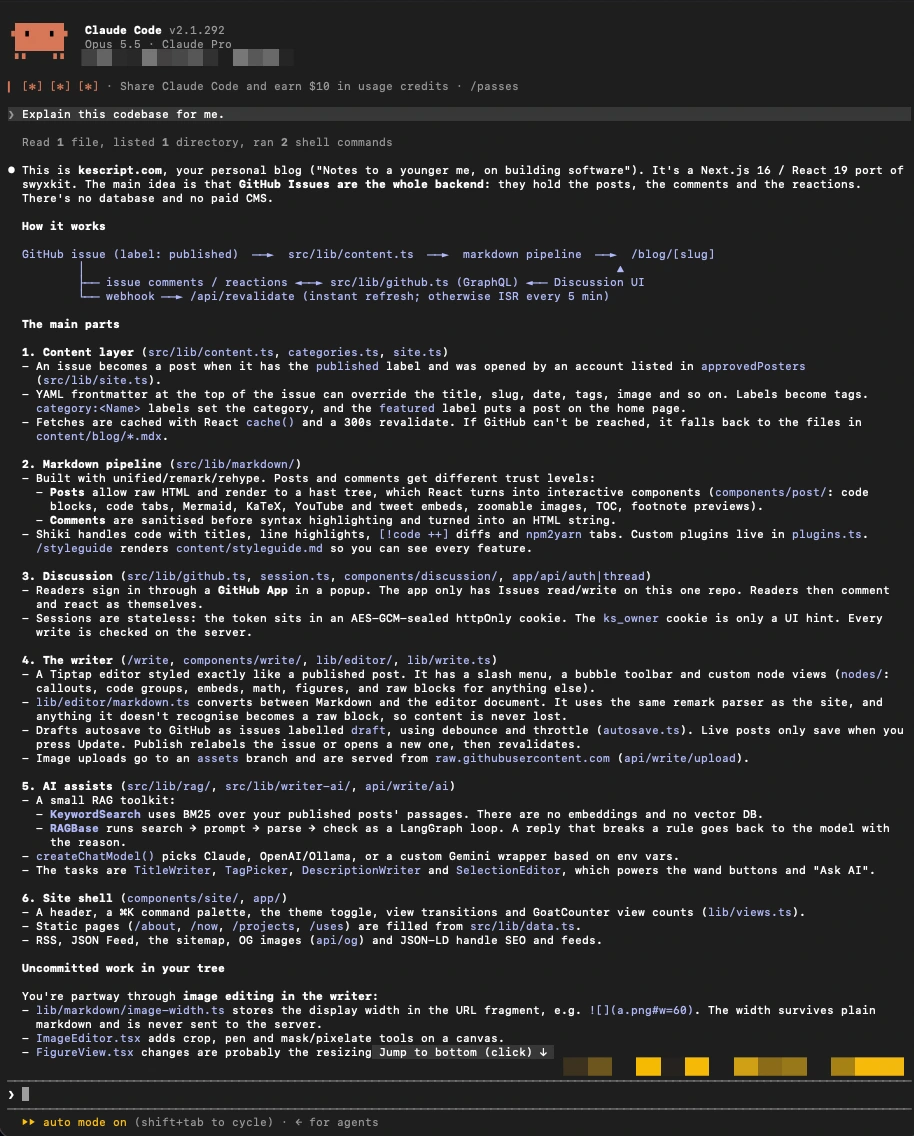
I asked Claude to explain my blog's codebase and this was the output.
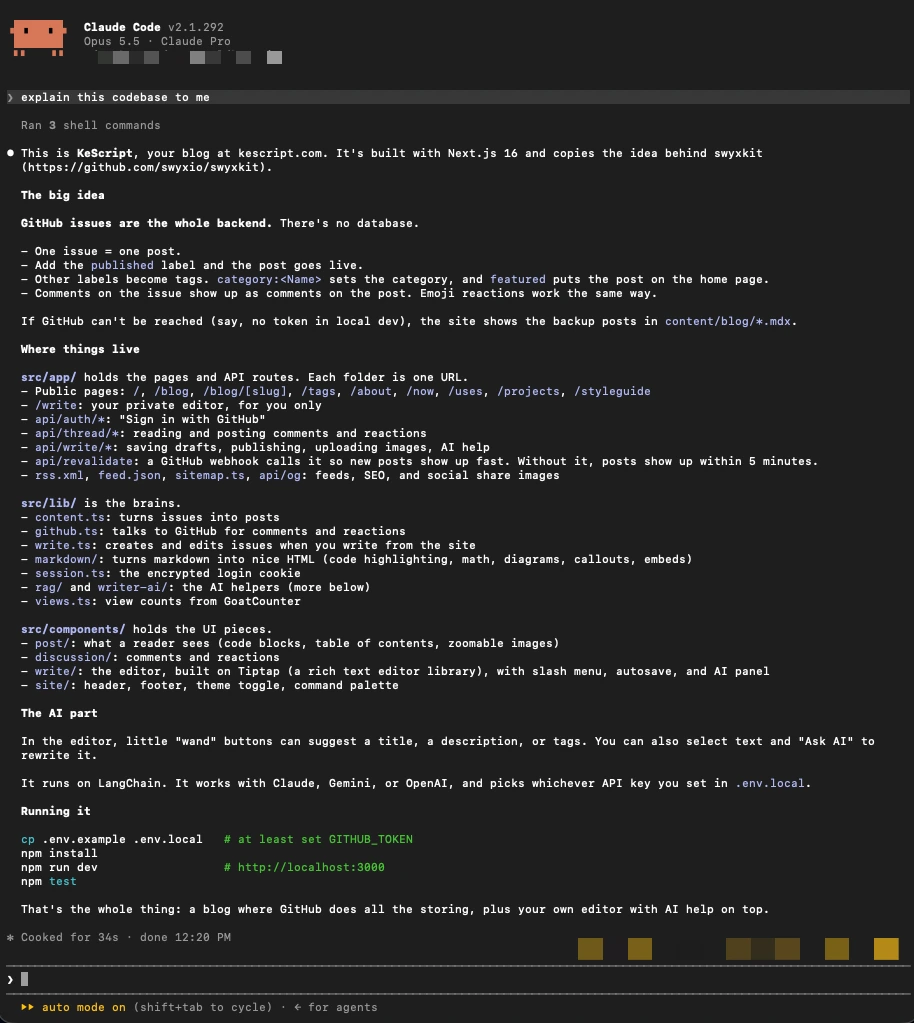
After switching to ELI5, this was the output for the same ask.
Claude's built-in styles#
Claude Code also has ready-made output styles:
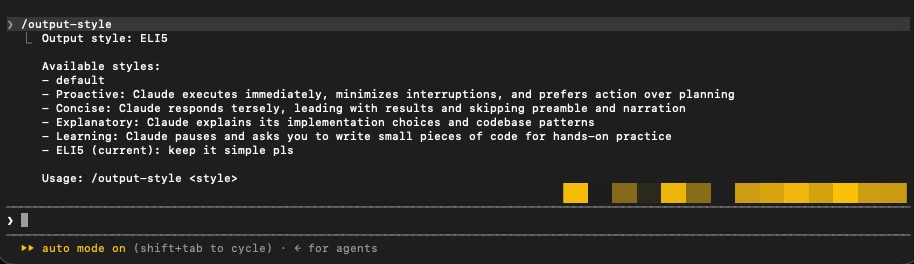
| Style | What it does | Good for |
|---|---|---|
| Default | Normal Claude Code behavior | Everyday coding |
| Proactive | Starts working right away and makes reasonable guesses instead of asking small questions | When you want speed and will correct it if needed |
| Concise | Leads with the result; no intro or recap | When answers feel too long |
| Explanatory | Adds short "★ Insight" boxes explaining why it did things | Learning a new codebase, language, or topic |
| Learning | Like Explanatory, but leaves small bits of code for you to write (marked TODO(human)) | Hands-on practice |
Finding your style#
ELI5 won't suit everyone, but you can find a style that works for you by experimenting right inside Claude Code.
- When you get a confusing reply, type
/branchto copy the current conversation into a new chat so you can test things out. - In the new chat, paste your current style and ask something like:
"Generate 5 other output styles, and show me how your previous answer would look in each one. My goal is to find a way of communicating that I understand."
- Read the samples and pick the one you like.
The STE100 trick#
You can also base your style on ASD-STE100, also called Simplified Technical English.
It is an international standard originally from the aerospace industry for writing technical documents that are clear and unambiguous. It relies on a limited vocabulary, short sentences, active voice, and one idea per sentence.
To use it in a project:
-
Ask Claude to explain a recent response using Simplified Technical English:
Text Explain in ASD-STE100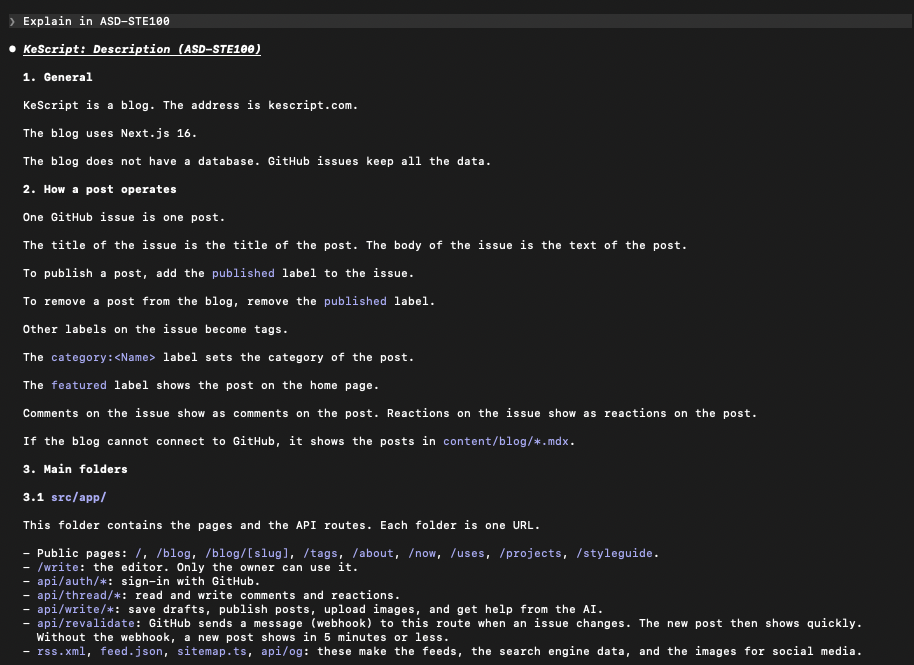
Claude's output in ASD-STE100 style -
Turn it into a reusable style by asking the built-in guide:
Text @claude-code-guide turn this into an output style
Over time, you can tweak the style file to make it more technical or simpler depending on what you need.
Example STE100 style you can try#
---
name: STE100
description: Simplified Technical English - clear and plain
keep-coding-instructions: true
---

Write all prose replies in ASD-STE100 Simplified Technical English.

- One idea per sentence. Keep most sentences under 20 words.
- Use active voice and simple present tense.
- Use common words. If you must use a technical term, define it once in plain words.
- Use short paragraphs, numbered steps for procedures, and clear headings.
- Start with the result: what you did, whether it worked, and what I must do next.
- Keep file paths, commands, code, and error messages exactly as they are.
Different styles for different projects#
Each project remembers its own style. When you pick a style via /config, Claude Code saves it to that project's .claude/settings.local.json file.
What the file looks like:
{
  "outputStyle": "STE100"
}
Note: The name must match exactly, including capital letters (
Explanatory, notexplanatory). If it doesn't match, Claude quietly falls back to Default.
You should experiment more with styles. As AI models' default answers get more confusing, tuning how they talk to you will matter more and more.
Troubleshooting#
My style doesn't appear in /config
Restart Claude Code. Make sure the file ends in .md and is in an output-styles folder.
Claude stopped coding as well
Add keep-coding-instructions: true to the frontmatter.
I set `outputStyle` by hand but nothing changed
Check spelling and capital letters; it must match the style's name exactly.
Typos in the frontmatter
Misspelled fields are silently ignored. Run claude --debug to see errors.
I'm using the Claude desktop app
/config opens Settings instead of a menu. Set outputStyle in .claude/settings.local.json directly.
Remember: An output style is guidance, not a strict rule. Claude follows it closely, but it isn't guaranteed every single time.
Sources#
- Video and description: Opus 5 Is Exhausting. Anthropic Reveals The Fix. (Ray Amjad)
- Official docs: Output styles, Claude Code docs